Last week I promised I'd explain how I actually work with AI. On an episode of the Latent Space podcast, Steve Yegge was talking about millennial engineers (he puts the most resistant group at 12 to 15 years of experience) who think AI coding is a fad for young developers who don't know a thing about coding. And the reality is they just don't know how to use it… the reason being that, in his experience, it takes about 2,000 hours of practice before you can predict what these tools will do and actually trust them. This made me shed a brief tear (a joyful one) for the last year I've spent toiling over every AI model / harness in existence trying to make it work…
The way he summarized it was being able to trust the process and outcome of not just an AI model or harness, but the specific process AND output you are trying to deliver. That's what this article is really about.
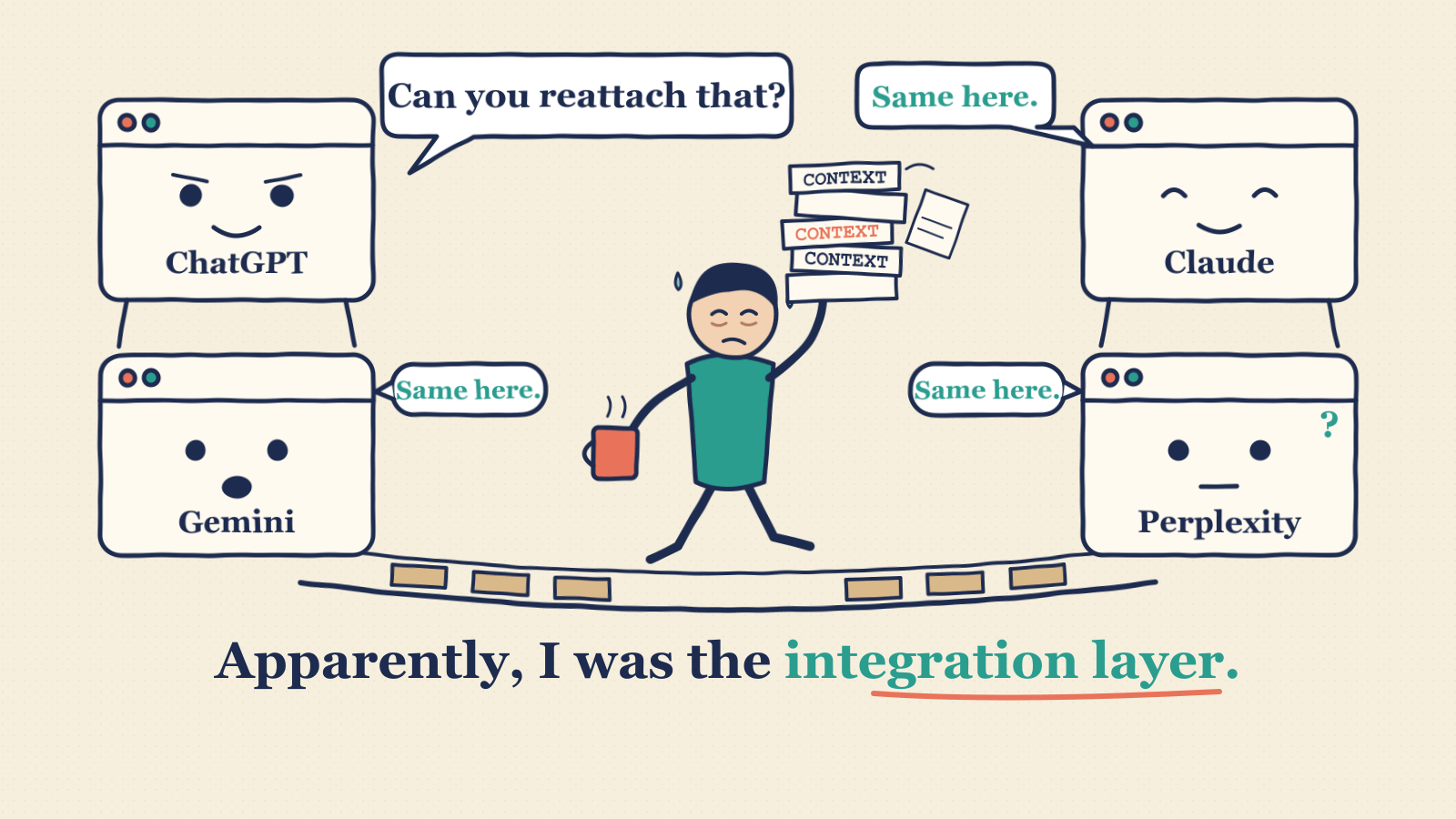
A year ago I was spending HOURS a day moving files between AI tools. Upload, download, reattach, explain the context again. I was apparently the integration layer.
This is the story of how that changed, what I use it for now, and the parts that are still a pain in my ass. If you buy, manage or sell outsourced services, most of it will sound familiar, because managing AI turns out to be a lot like managing a vendor. I'll keep the history short, then get to what it actually does all week: working with my engineering team, reading contracts, checking data, prepping for meetings and reading vendor quotes. After that, what it can do without a connector, how I learned when to trust it, and what it costs.
From four chat windows to "The Hub"
In 2025 my AI stack was me. ChatGPT, Gemini and Perplexity did the research, Claude did the building, and Cursor built websites. About every hour a chat would "max out" (i.e. the context window would fill up, something that Codex has done a slick job of making invisible to the user) and I'd open a new one with some version of "I maxed out on chat space, here's all the context you need to continue." One tool had the research, another had the files, and a third had a confident opinion about a version we'd stopped using two days earlier.
That context window matters more than most people realize. In my experience, the fuller it gets, the slower your chat works, and the quality of the work drops dramatically as you get closer to the limit. My rule of thumb: if you're using a harness that displays the context window (usually a little circle that fills up), stop and start a new chat before it gets beyond halfway, if you can (i.e. once the run ends or the response comes back).
Eventually I hacked together a home-grown system I call "The Hub." It was wired into the desktop harnesses I was using, Cursor, Claude Code and Codex, so I could do most of my work locally on my computer. The apps could share files, chat transcripts and work history, send each other prompts, and follow my direct instructions, all sitting on a Supabase database. If I really wanted to make sure something was correct, I'd do a final upload to Claude on the web to get a degree of separation and independence (a QA system, if you will).
The Hub became my bible for making ScaleX an "AI native company." I had real agentic employees running tasks and operations, machine learning, and a secure web application hosted on Vercel called "Mission Control" where I could see the work and run my loops.
Then I stopped building it
At one point I was building the Hub as a commercial product I could sell to other solo founders, and eventually to enterprises that needed a "place" to see everything their AI bots have done, organized the way normal people (not engineers) actually work. Eventually I came to terms with the reality that trying to start my first company and build two products by myself was a very bad idea. I had a network to work and a product to sell, and somehow there was always one more improvement to the system that would help me sell it later. I was addicted to building The Hub because it was fun! It kept me on the cutting edge of AI, and taught me the fundamentals of software engineering (e.g. GitHub repos), cloud infrastructure, and perhaps most importantly database architecture. One day when ScaleX is a big successful company I'll go back to it, but I stopped building out the Hub to focus solely on Maxx and talking to buyers about their needs.
Turns out the trillion-dollar AI companies had similar ideas. None of them, IMHO, have figured out how regular business people organize and execute their work (which is why I will go back to the Hub), but their tools and connectors work out of the box. I use Codex as my main harness now for two reasons: over the past six months the tools and UI OpenAI has built into its harness have been better than Anthropic's, and for the way I use it, it's been a lot cheaper than Claude token-wise. I still bring Claude in as an independent reviewer when I need a second opinion.
There was a point where I had Claude Code and Codex both wired into the Hub, but that was overly complicated. Now Codex sends Claude work to do "headlessly": basically, Codex runs Claude headlessly from a terminal, instead of passing prompts and files to an actual Claude application on my computer.
What it actually does all week
Almost none of this is chatting with a bot. It's closer to managing a very fast analyst who can read my email, my contracts and my meeting notes, works while I'm in another meeting, and is occasionally and confidently wrong. If you've ever managed an offshore team in its first ninety days, you've met this person. Here's what I actually give it.
It helps me manage my engineering team
I write the requirements, the UI, and the fields that we need for Maxx, not the code. Which means the most important thing I can give the engineers is a clear picture of where things stand and what "done" means, and the most annoying thing I can give them is a status meeting where we spend forty minutes figuring out what already happened.
So before we talk, I ask the AI the question every product owner asks: what's been delivered, and what hasn't? My prompt is usually some version of "what has been delivered so far, and what hasn't? review git, linear, emails." It traces each piece of work through our project board in Linear, the code commits in GitHub, the team's updates and the QA report, and gives all of us the same factual starting point. The conversation becomes about decisions instead of archaeology.
It catches the things everyone misses when they're moving fast. One feature had 7 of 8 sub-tasks done, but the demo site was still running the previous build. Another ticket was marked Done while its own closing comment listed checks that hadn't happened yet. Code complete and ready for a customer are two different things, and when the AI points that out with the evidence attached, it's a fact we fix together instead of a blame conversation.
Half the time the gap is on my side. Before I ask why something isn't finished, I have it check whether the team actually has what it needs from me: the acceptance criteria, the test data, the decision I said I'd make. Then it drafts a short list of what "done" looks like for each item, and we agree on it before anyone writes more code. That one habit has saved more rework than any status report.
It reads the paperwork nobody reads
When one of our software subscriptions came up for renewal, I had the AI compare the new order form with the original agreement and my notes from the sales call. It found a time-zone error in the renewal deadline, a "credit" that was really the net of two other amounts, a termination clause it couldn't find anywhere in the original agreement, and the wrong signature date. It also noticed the new order form didn't cancel an old support charge, so it would have quietly started billing again a few months later.
And it caught me. I was lining up a freelance consultant and told the AI the rate we'd agreed was per hour. It re-checked the signed rate card: per day. I'd been negotiating against a number I'd misremembered.
Where it went wrong: it drafted a follow-up to a potential partner that referred to an earlier proposal they had never seen, "because we made it in this chat!!!" Its answer: "I treated our internal drafts as shared context. That was my mistake." Your chat history isn't the other side's context. Remember that every time you ask AI to write something to a supplier, a customer or a partner.
It checks data before a customer sees it
A client sent me an export from their travel and expense system that they had cleaned up themselves and added their own summary tabs to, asking me to compare it with what Maxx showed for that category. I told Claude (via Codex) to "100% validate the data (add a tab that 'shows your work')." Eight rows in the "clean" file had conversion or transcription errors, like $842.17 that had become $842,170. Every source row then tied to the monthly records with zero differences, and I could put it in front of the prospect with a straight face.
Where it went wrong, and where I did: in a meeting with a prospect I was doing a live Maxx demo (something I've learned the hard way to do in a very scripted way!!). We had reconciled every spend total, and then in the meeting I discovered that not one single service-level target was populated. The supplier scorecard they were interested in seeing was completely blank…. In my words at the time: "it was a disaster." The AI had verified the thing it was told to verify. Nobody had verified the thing the customer was going to look at. A reconciled total is the best camouflage there is.
It preps me for meetings, and then grades me
Before a sales call I have an agent go back through the notes from every prior meeting with the person, recent news and their LinkedIn activity, and tell me how to sell to them (yeah it's creepy as hell, but a guy has to eat). After the call, a second model grades me against a fixed rubric.
For months almost EVERY time I did this, the grader gave me a score like 40 out of 100. One time the AI running the loop checked the deductions against the notes, found several were factually wrong or misapplied, and the corrected score was 57. On another call I got a 58, and typed what I actually thought: "i keep getting really bad scores because i don't follow the plan that you gave me before the meeting... what if your plan sucked? Because I can tell you now that it did, and I completely ignored it before the meeting started." The person I'd met, a former colleague I've known for years, had just told me he'd follow up the next week and that this could work. The AI went back and admitted it had graded me against its own preferred meeting structure and scored my close a 3 out of 10 despite the follow-up. It withdrew the 58.
Anyone who has sat on an RFP evaluation panel knows this problem. If the person who wrote the plan also grades it, you haven't built a scoring system. You've built a mirror.
It reads vendor quotes, and checks my math
A friend who runs a small recruiting firm got a quote for a database subscription priced by the number of profiles, and I asked whether it actually fit what the firm needed. The AI compared the quote with my friend's spreadsheet and broke down each volume tier. I looked at the numbers and typed: "i'm super confused now...why would the price per record go UP as the volume goes up??" It didn't. I'd divided profiles by dollars instead of dollars by profiles. The price per profile fell as volume went up, exactly like a volume discount should.
The useful part was what the AI did with its own first answer. It admitted it had assumed how the billing worked and separated what the vendor had actually confirmed from what it was guessing. "What did the supplier say, and what are you assuming?" should be the first column in every pricing review.
Bots don't need a connector anymore
You might have seen news about websites trying to block AI bots from using them, and there are some legitimate reasons for that. But at this point I can essentially prompt my bots to do virtually anything: create decks, pay bills, check messages, even when the application doesn't have a "connector." (Connectors come in different flavors. Some call an application's API directly; others use MCP, an open standard for plugging AI tools into apps, which often sits on top of an API. Either way, your harness gets a defined way into the application you're trying to use. In other words, the connector tells it exactly what data and actions that application makes available to send and receive, which isn't necessarily direct access to the application's database.) I think the age of the API is coming to an end.
Here's what that looked like last month. The AI uploaded 31 data templates, in order, into a demo environment through a browser, then exported a report and reconciled it against the files. It posted our demo video as a native post on the ScaleX LinkedIn page. When my connector could only reach my own Linear project workspace, it opened a partner's project board in the browser to read where things stood, and later posted a comment on one of their tasks when I told it to. It searched my email to confirm which invoices were still outstanding, matched them against the payment receipts, and flagged two different invoices that were both labeled with the same month.
The recent advent of browser control tools that the good harnesses can use is a game changer. I can actually have AI bots do end-to-end smoke testing of our application (a quick check of the main features to catch obvious breakages), create Maxx reports, push data updates to the application, and use the platform as different "personas" of our customers and target users. Ideally this is all done headlessly, using an MCP to a tool like Playwright instead of my actual open Chrome browser, so it doesn't disrupt my work. For some reason this rarely happens and I've mostly given up on forcing it to. I think it usually has to do with login credentials and sites being able to identify and block bots, BUT I recently set Codex up with a password manager so he can sign in to some sites without having to ask me. This can be very risky, which is why I only use this method for personal stuff. Almost everything I use for work has a direct connector, MCP or API into Codex, and what he can and can't do is written into our loops (more on those below).
Now the legitimate reasons. Did your bot hack into the Federal Reserve to accomplish your task? IMHO most of the AI-gone-rogue headlines are hype, but you don't want to be caught on the wrong end of your company's access policies. The same flexibility that lets my AI work without a connector is why I'm strict about what it's allowed to do. It drafts emails into Gmail, and I send them. When it tried to send private emails and meeting material to a second model for review, an automated approval check stopped it until I answered yes or no. If you're thinking about doing any of this at your company, your security team is going to have strong opinions, and they should. Decide what it can read, what it can draft, and what only a human can send or pay before you start, not ninety days in.
Learning when to trust the thing
This is where prompt writing and what I'd call "model trust" start to matter. There are billions of humans (don't quote me here) using AI at this point, mostly for completely unique reasons. The models are BEGGING to tell you they've done exactly what you wanted them to, and I will admit that they have gotten significantly better over the past year at hallucination issues. But there is more to consider than just what gets pooped out of your GPT window when you're done…
Remember Yegge's 2,000 hours? Earlier this year I came across a piece from Lenny's Newsletter by Caitlin Sullivan, "How to do AI analysis you can actually trust," and she landed on almost the same number from a completely different direction. She had spent more than 2,000 hours testing customer-discovery workflows and identifying where the analysis goes wrong. Those hours aren't a certification. They're time spent learning where a particular AI workflow succeeds and where it goes wrong. There's no ceremony at hour 2,001 where the chatbot stops making shit up, and if you change the model or the workflow, some of that trust starts over.
I've put in an unreasonable number of hours since starting ScaleX, and the important lesson is that the TYPE of work and the SPECIFIC MODEL matter. Being impressed with how it rewrote an email doesn't tell you whether it correctly interpreted a pricing workbook. Those are very different job interviews.
One of the most useful things I've done is slow down and look at the work as it's happening: the visible work summaries, the documents it pulls from, the assumptions it lists, and the intermediate tables or calculations. If your tool lets you expand that activity, open it. You aren't getting a guaranteed transcript of everything happening inside the model, and a convincing explanation still needs checking against the source.
Sitting there for five or ten minutes watching an AI tool work probably sounds like torture. At one point I was so addicted to using these things I couldn't help myself. But you start noticing the assumption that is about to ruin the rest of the job. "I'll assume these rates are monthly." No, you absolutely will not. The workbook says annual. Please put the calculator down.
If you're using multiple agents to divide up the work, that becomes even more important. Give the pricing agent the wrong definition of a productive hour and the other agents can build a beautifully coordinated business case around the same mistake. Congratulations, you've automated the part of a consulting project where everyone copies the wrong number from the kickoff deck. And the error gets harder to trace when the outcome is two degrees away from it.
The practical fix is to ask for the inputs and assumptions BEFORE the full evaluation. Check a small sample you understand. Make it show where each answer came from and what it couldn't establish. When you catch a recurring mistake, turn the correction into a reusable instruction and test it again: "Keep annual and monthly charges separate." "Missing evidence is unresolved, not a three." "A roadmap feature is not a capability available at go-live." Where your tool supports saved instructions or workflows, keep those rules there instead of typing them from scratch every Tuesday. That's the useful version of the closed loop: do the work, catch the error, improve the instructions, check whether the improvement worked.
So what's a "loop"?
I say "run the loop" a lot, so here's what I mean. A loop is a repeatable workflow I've written down once so the AI does it the same way every time. I have a post-meeting loop, a newsletter loop and a prospecting deck loop, among others. A typical request sounds like "just met with him. run the post meeting loop, evaluate my performance, and tell me what the deck should look like he asked for." When it drifts, I get to type my favorite sentence: "make sure you are following the loop - we have had issues learn from our misteakes" (typo very much included).
For a long time the loops lived in my head and in old chats. Then one day I asked the question I should have asked months earlier: "i can remember to say 'follow the loop' but will he have this context somewhere?" He didn't. Every new chat was a new employee on day one.
So now each loop is saved as a skill in Codex: a written set of steps, plus the templates and rules it needs, that loads whenever I use the trigger phrase. The prospecting deck loop, for example, is: load our standard template, research the prospect, tailor the deck to their situation, render it and QA it, then feed anything I approved back into the master template. The loop directory is just the list of all of them, in one place the AI can always find.
If you want to build your own, here's how I'd start:
- The second time you type the same instructions, stop. Ask the AI to write it up as a loop: the steps, the inputs it needs, and what "done" looks like.
- Give it a trigger phrase you'll actually remember, like "run the post meeting loop."
- Attach your standards: the template, the scoring rubric, the brand book, whatever "good" looks like at your company.
- Write down the permissions: what it can read, what it can draft, and what only you can send.
- When it gets something wrong, fix the loop, not just the answer. Otherwise you'll be correcting the same mistake every Tuesday.
- Keep the list in one place. In Codex these are skills. Most tools have some version of saved instructions, projects or custom agents. That list is your directory.
A second opinion helps, but it needs checking too. Claude once told us an export's columns were in the wrong order. The AI checked the code. They weren't. And even last week's article needed a correction on the deliverable: I asked for a swimlane and got a responsibility matrix. Both explain who does something. Only one showed the handoffs and decision loops I wanted. A professional-looking artifact can still be the wrong deliverable.
What it costs
One record I'm glad I kept is a July 7 snapshot of my Cursor dashboard. I'd burned through my Ultra subscription and racked up $1,338.22 in on-demand usage, with another 12 days before my billing cycle reset.
My internal register listed an intended on-demand limit of $100 a month. The dashboard showed a configured cap of $2,000. My policy document was very clear: stop at $100. The billing system was also very clear. They were describing different budgets.
Now picture that inside a company that gave every employee a mandate to use as much AI as possible, assuming they would do their jobs better and faster, when very few people outside the frontier labs actually understand how to do this effectively. "We have a policy" is the beginning of that conversation, not the end. Check the setting that actually controls the spend.
And here's a confession: I can't tell you how many hours all of this saves me. I haven't measured it. What I can tell you is what it caught before it went out: a rate I'd misremembered, a payment mislabeled as a credit, eight bad cells in a prospect's file, a contract clause that wasn't in the contract. Those are the numbers I'd want from a vendor, so that's where I'm starting.
What I'd try this week
- Pick one vendor you manage. Give your AI tool the contract, the rate card, the last three invoices and the open tickets, and ask: what's been delivered, what do I owe, and what doesn't match? Tell it to say "I can't find that" instead of guessing.
- Next time a supplier sends an addendum or renewal, have it compare the new document with the signed one and list every clause it can't locate, and anything the new one doesn't cancel.
- Any spend file you didn't build yourself: ask for a "shows your work" tab before you trust a single total.
- Record your next supplier review or oral presentation (with permission), write the scoring rubric yourself, have a different model grade it, and then ask whether the plan was the problem.
- Decide the permissions first: what it can read, what it can draft, and what only a human can send or pay.
You can do all of that with whatever AI tool your company already allows. You don't need to build a Hub. I say that as someone who built one, and then had to remind himself what the company was for.
If you're using AI to manage vendors, I'd love to hear what's working and what blew up. Leave the client names out.